![Fabicaon.png]](https://44059364.hs-sites.com/hs-fs/hubfs/Fabicaon.png?width=40&height=40&name=Fabicaon.png)
How to Add a Slide Video:
Adding a video to your store's banner is an easy way to grab attention and make a stronger first impression than a static image, whether that's showcasing your latest gear, spotlighting a team or event, or just giving your store more personality.
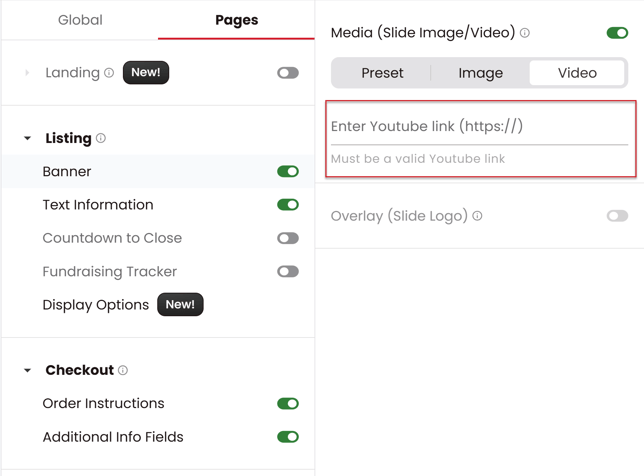
- In your store, go to Branding > Pages > Banner.
- Once loaded, you'll see three banner options: Preset, Image, and Video. Click Video.
- Paste the YouTube link for the video you want featured. It will play automatically for every visitor who lands on your store.
Note: only YouTube links are supported, so make sure your video is uploaded to YouTube before adding it here.