![Fabicaon.png]](https://44059364.hs-sites.com/hs-fs/hubfs/Fabicaon.png?width=40&height=40&name=Fabicaon.png)
Adding Additional Information Fields to your store helps organize orders by group during packing, making distribution easier.
These fields allow you to collect specific details needed by you or the organization. Customers can be required to select an option on the Review page at checkout, grouping similar orders on the Packing Slips.
Additionally, this tool is especially useful during the holiday season. For example, you can prompt customers to indicate if their order is a gift, allowing you to tailor packaging or include special messages. This added personalization enhances the shopping experience, making it easier to fulfill unique customer requests and streamline holiday order management.
How to Add Additional Information Fields to Your Store
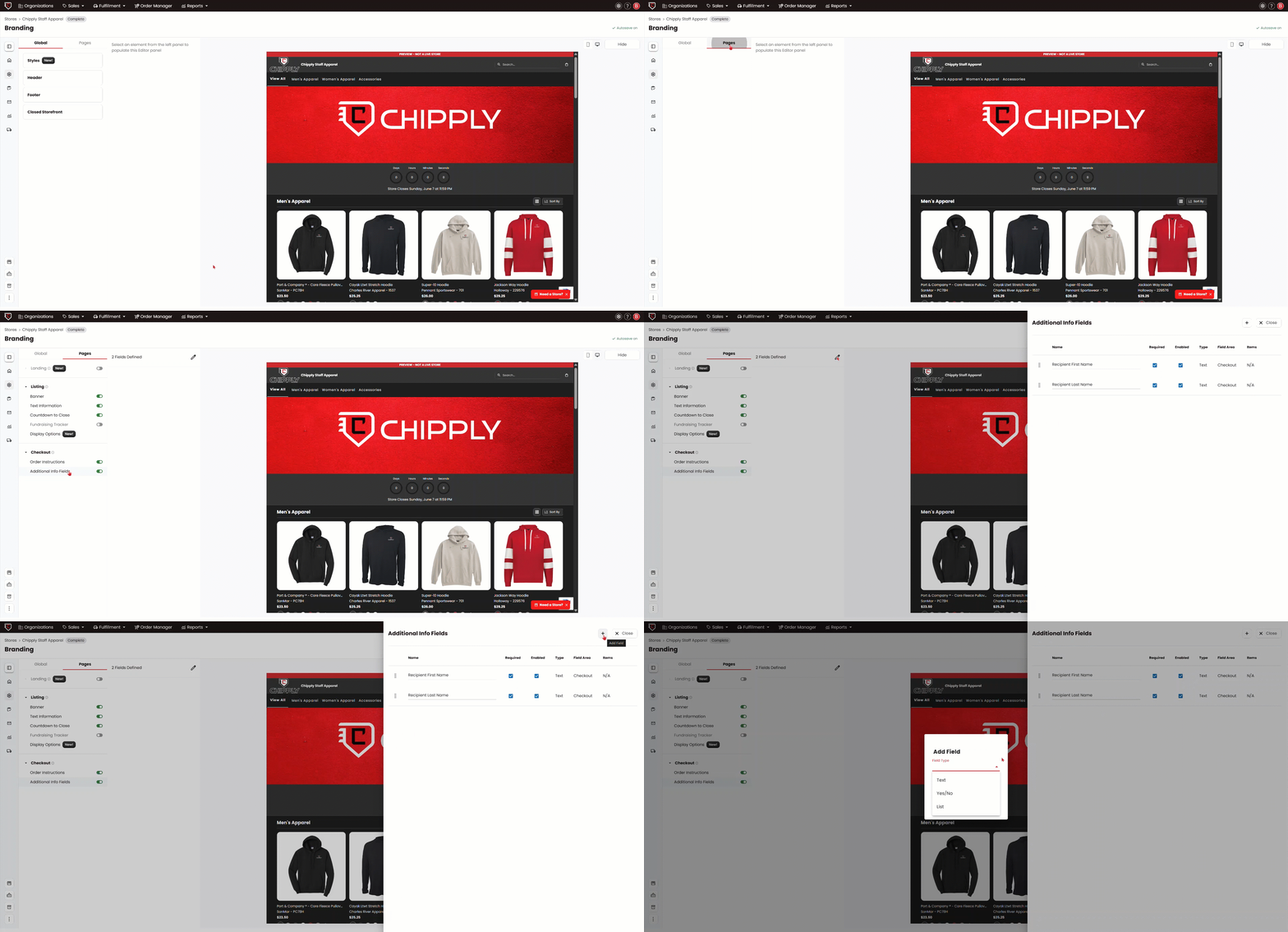
1) Within your store, click on Branding on the left-hand menu.
2) Click on the Pages, then click on Additional Info Fields.
3) In the Drawer, click the pencil button next to Feilds Defined.
4) From here, you can either update the Recipients First Name & Recipients Last Name, or you can hit the Plus Button to add another Text box, a Yes/No question, or a List.
Different Types of Additional Information Fields
Text: A field for the customer to type in. This is great for typing a Teacher's Name.
List: Customers can choose their option from a list of predetermined teams, departments, or any sort of drop-down field.
Yes/No Question: This gives the customer the availability to answer a yes/no question upon checkout. For example: Is this a Christmas Gift