![Fabicaon.png]](https://44059364.hs-sites.com/hs-fs/hubfs/Fabicaon.png?height=40&name=Fabicaon.png)
Updated Global Account Navigation
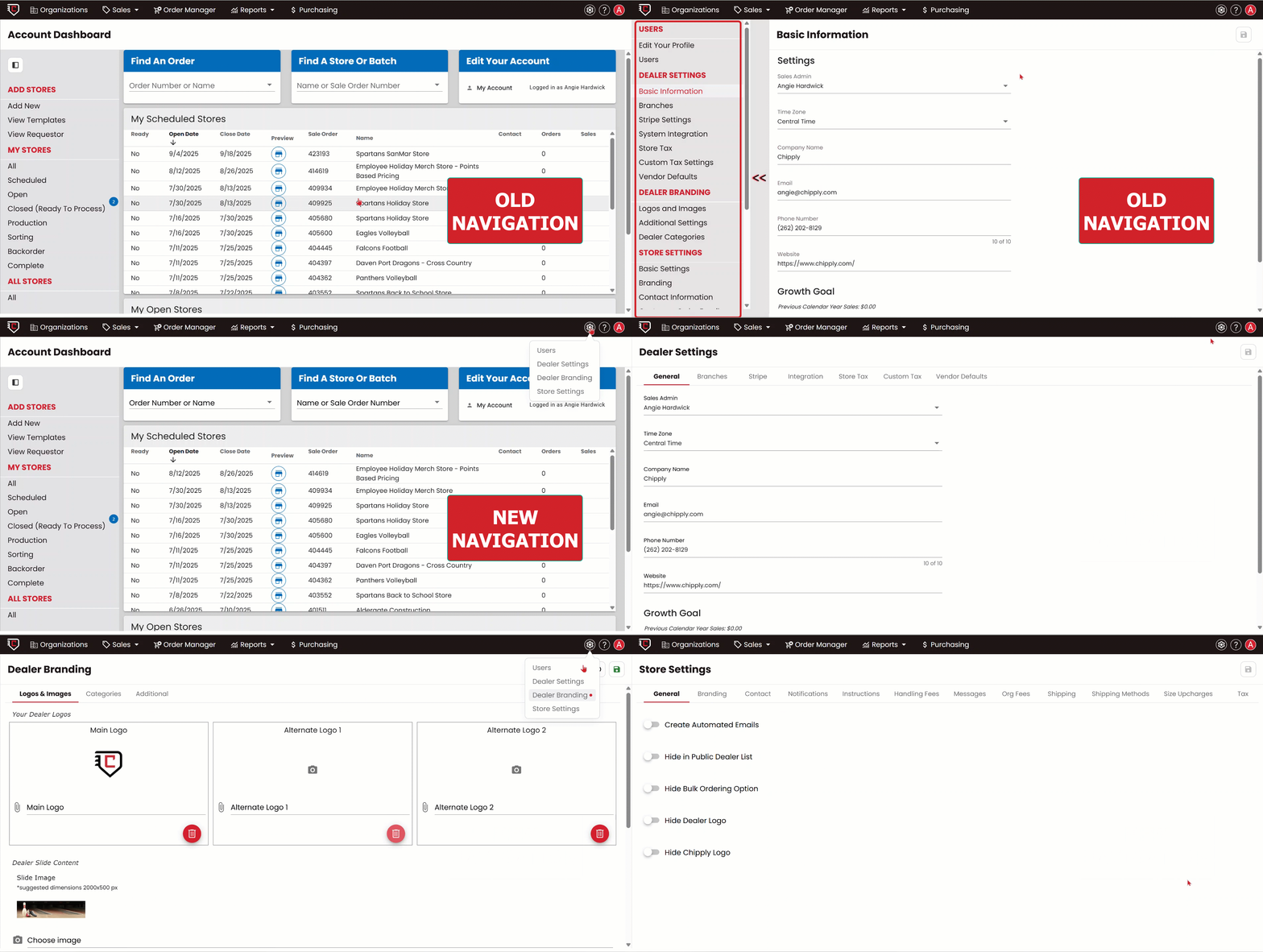
We’ve updated your Chipply account navigation to make managing your overal account settings faster and simpler. Previously, options under Dealer Settings, Dealer Branding, and Store Settings were listed along the side.
Now, these have their own dedicated pages with tabs across the top, making it easier to find exactly what you need. Just click the settings gear icon in the top-right corner to move between these areas quickly and efficiently.
Updated Mobile Account Navigation
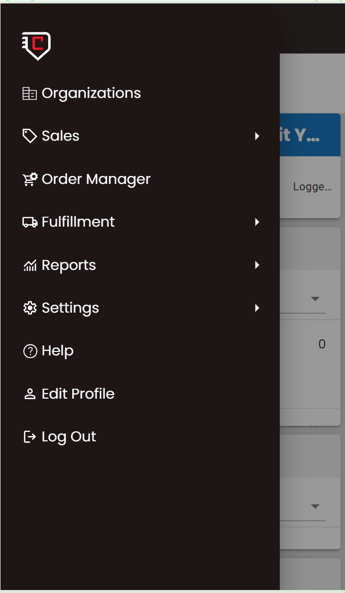
We’ve improved Chipply’s mobile account navigation. The new side menu organizes sections like Sales, Order Manager, Fulfillment, and Settings for easier access on your mobile device. While Chipply still works best on desktop, these updates continue our work to make Chipply more accessible, helping you review and manage key details from your phone when needed.
Updated Notes and Transactions – Faster Access, Clearer Details
Within Order Manager, Notes and Transactions have a brand-new look. When you click on Notes and Transactions for an order, it no longer expands below the row—instead, it opens in a sleek drawer on the side of your screen. This new layout gives you quicker access to more precise information while keeping your order list clean and easy to view.
