![Fabicaon.png]](https://44059364.hs-sites.com/hs-fs/hubfs/Fabicaon.png?width=40&height=40&name=Fabicaon.png)
New Branding Layouts!
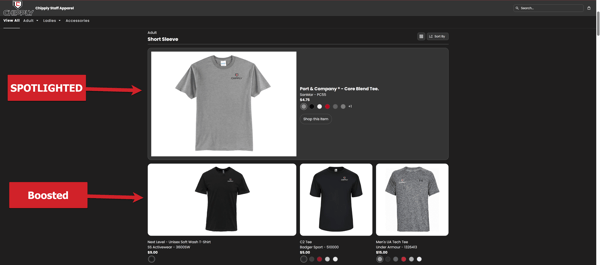
The next evolution of store branding is here. With Layouts, you can mark products as Spotlighted or Boosted to highlight them within your store. This makes it easy to feature required items, draw attention to newly added products, or promote inventory you want to sell first.
 |
New Default Displays
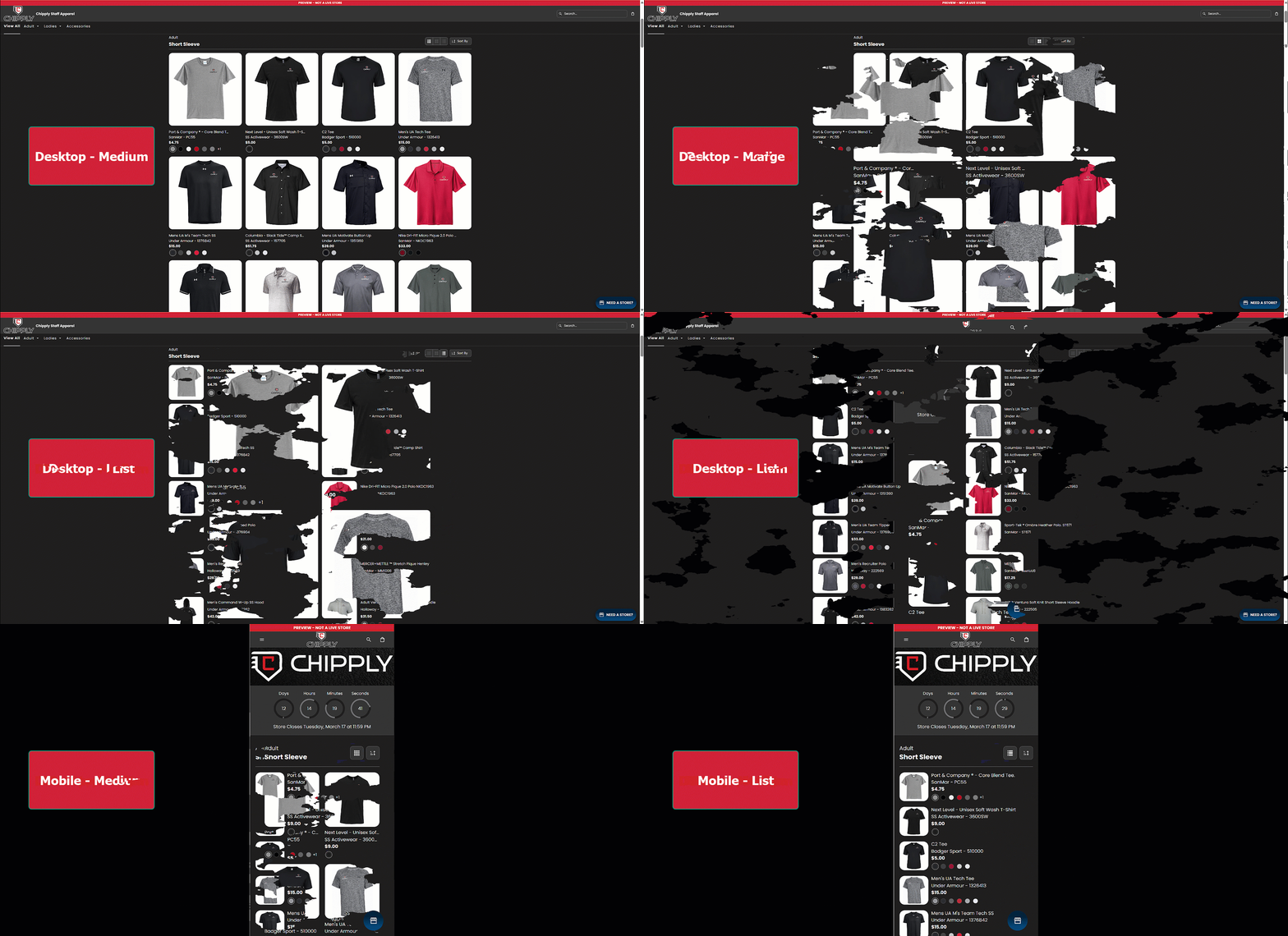
We're giving you more control in how to display products in your stores for both desktop and mobile. For desktop, you can choose between Large, Medium, or List views. For mobile, you can select Medium or List view. You also have the option to enable all available views, allowing your customers to choose the layout that works best for them while shopping.
| Learn More |
Filter Fundraising Report by Date Range
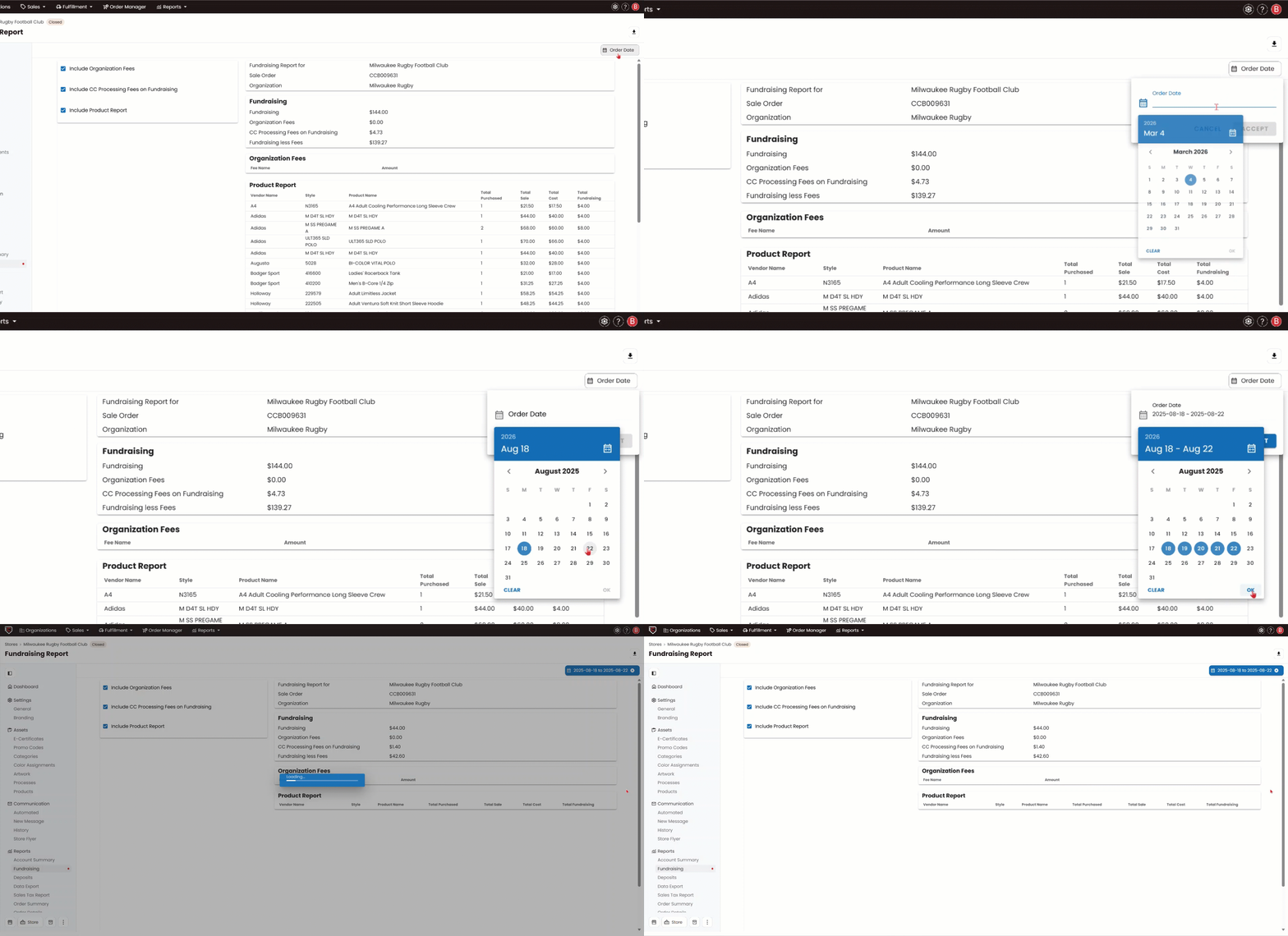
Now you can filter the Fundraising Report by a specific date range, making it easy to view fundraising totals for any defined period. This is especially helpful for catalog parent stores, where you have the flexibility to align reports with your batching schedule in Chipply. Quickly determine the total fundraising amount for each batch window.
| Learn More |
Smarter Searching with Store Tags
We’ve improved how search works for stores that use tags. When you search using multiple tags, Chipply now returns results for stores that match any of the tags, as well as stores that match all of the tags you entered.
This makes it easier to find the most relevant stores while still seeing all possible matches based on your search.
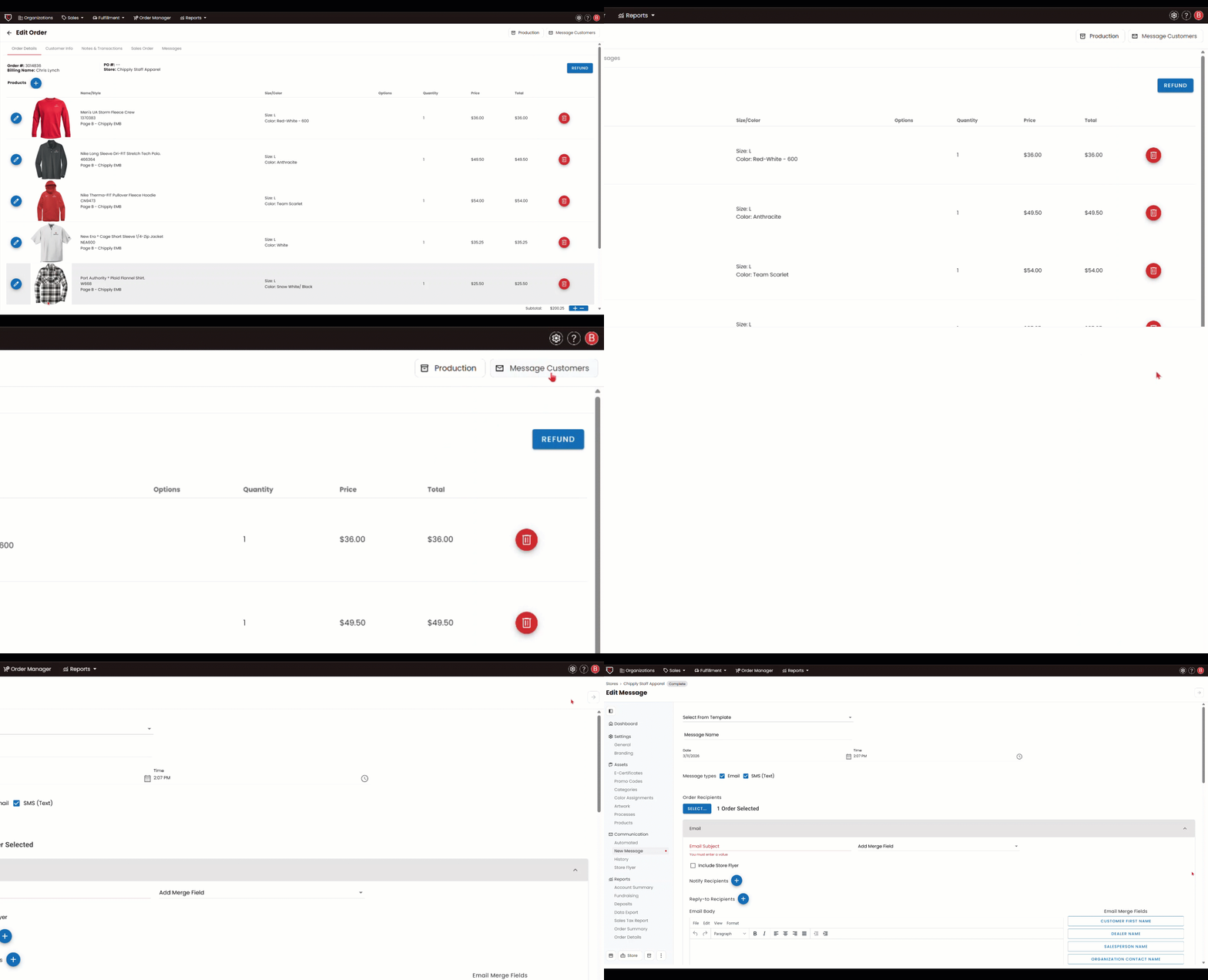
Message Customer From Within Their Order
Need to reach a customer while editing their order? Now you can. Click Message Customer in the top right while inside of an order through Ordermanager and Chipply will automatically open a pre-addressed email so you can write and send right away.