![Fabicaon.png]](https://44059364.hs-sites.com/hs-fs/hubfs/Fabicaon.png?width=40&height=40&name=Fabicaon.png)
New tools are here! In this update, find:
- Updated features and new reports
- Time-saving automations
- New integrations with Charles River Apparel and JDS Industries
Schedule Sales Activity Reports
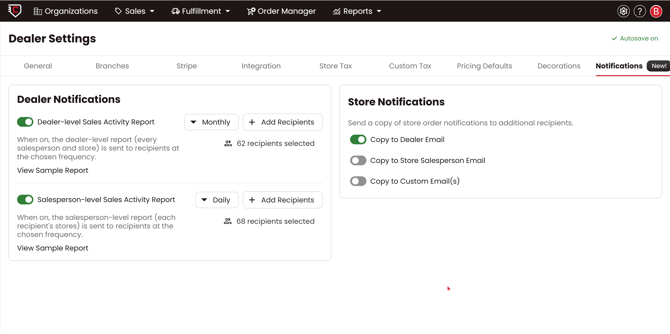
Schedule daily, weekly, or monthly sales activity reports in your Dealer Settings under Notifications. Choose from:
- Dealer-level reports that cover all salespeople and stores
- Salesperson-level reports that give reps a view of only their stores
How to: Schedule Sales Reports
AutomationCatalog Store Auto-Copy
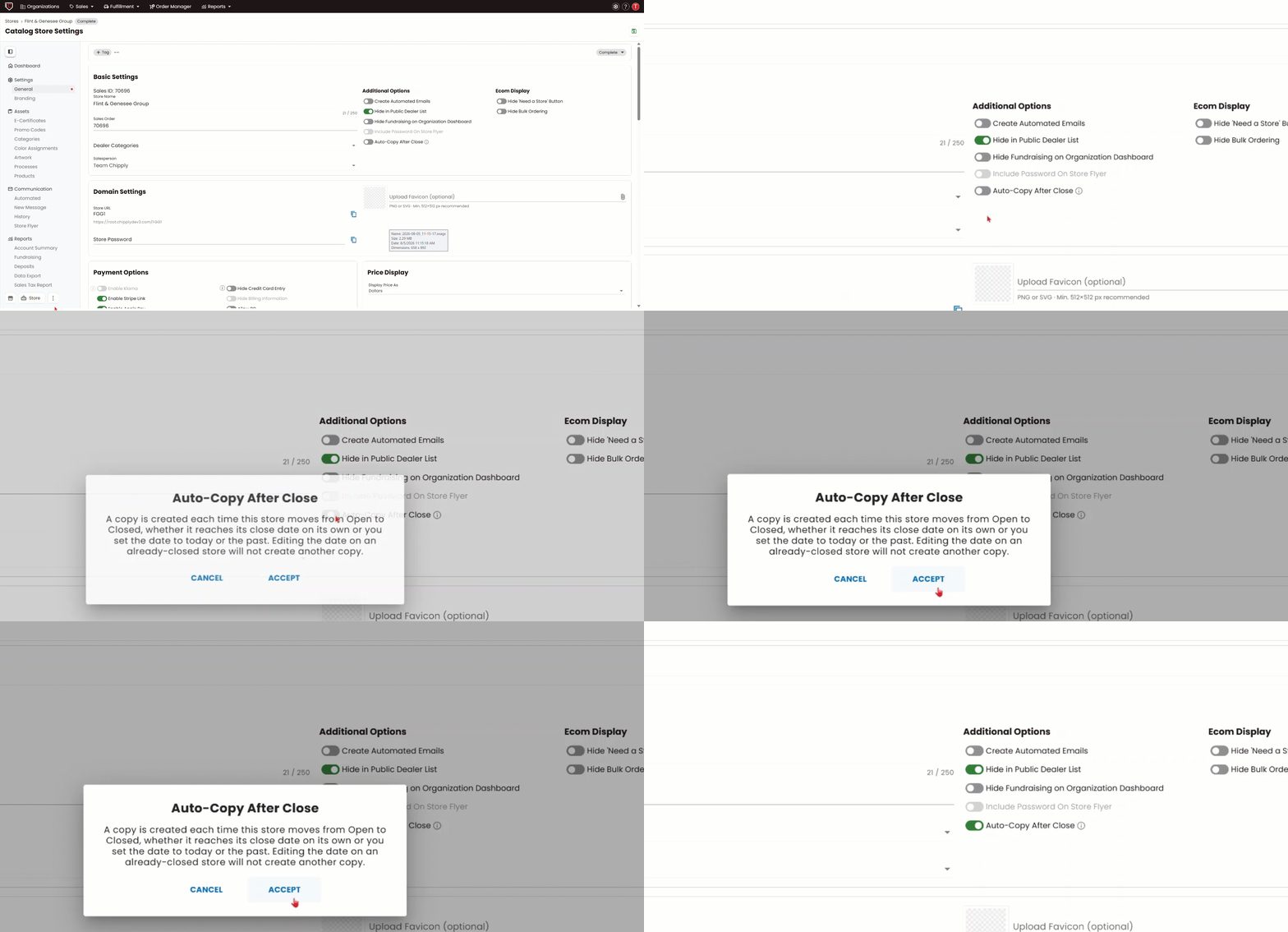
Now you can set catalog stores to automatically copy when they close. Enable the Auto-Copy After Close toggle on any catalog store and Chipply handles the rest.
E-Certificate Updates
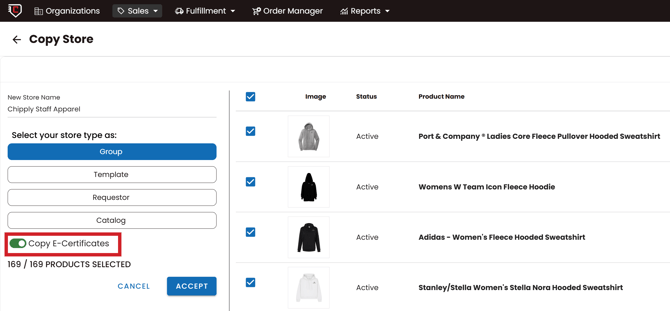
Two new features make managing e-certificates in Chipply even easier.
- Copy e-certificates with your store — When copying a store, a new toggle lets you bring e-certificates into the new store. Auto-copied stores include e-certs automatically.
- $0 e-certificates — You can now add e-certs with a $0 balance to a store. This is especially useful for corporate accounts where codes need to carry over between store cycles before new funds are loaded.
Redesigned Organizations Page
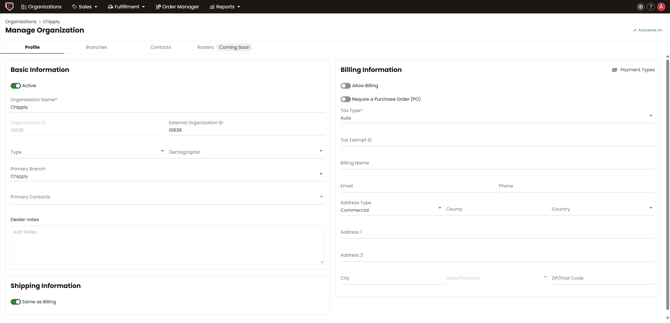
The Organizations section of Chipply has a new layout that organizes everything into tabs with dedicated views for:
- Billing and tax information
- Custom types and demographics
- A new Organization Settings area to manage it all
This update gives you more control and visibility to manage all of your accounts. It also sets you up for success with upcoming Chipply One features like Invoicing and Offline Sales that will pull from your organization data. Stay tuned!
If you have not reviewed your organizations in a while, this is a great time to do so.
Order Barcodes on Sales Orders & Packing Slips
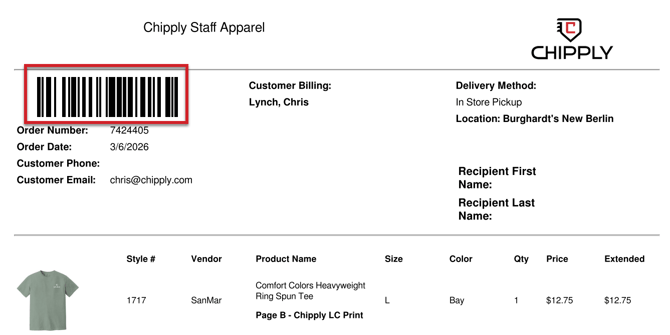
Sales Orders and Packing Slips now include a barcode matching the one already printed on product labels in Chipply Production.
Scanning it copies the order number, making it easy to look up orders in Chipply Production, ShipStation, or any other tool without typing it out.
The barcode is on by default for Packing Slips and can be toggled off in your packing slip settings. The barcode cannot be toggled off on Sales Orders.
How to: Toggle Off Barcodes on Packing Slips
Store Time Remaining Display
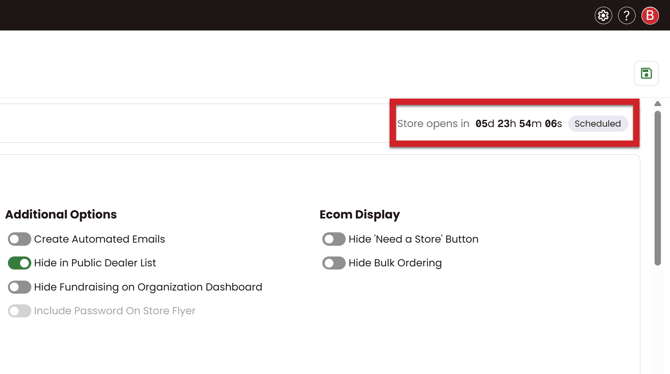
View time remaining before openings and closings at a glance on the Store Settings page. Open stores show how much time before close, and scheduled stores show how much time before open.
New Purchasing Vendor: Charles River Apparel
.png?width=258&height=323&name=new%20integrated%20vendors%20(2).png)
Charles River Apparel is now available as a purchasing vendor in Chipply, enabling you to order their products directly through Chipply Purchasing. Check out the help article to get started!
How to: Connect CRA Integration
New Inventory Feed Vendor: JDS Industries
JDS Industries is now an integrated feed vendor in Chipply. Add their products to a store to see live inventory, so you and your customers always know what is available.
These new integrations also unlock inventory thresholds for both Charles River and JDS. Inventory Thresholds allow you to set a threshold to automatically hide products when stock drops below a certain level.
How to: Set Inventory Thresholds
If Boxercraft or Scrub Authority are not showing up in your account yet, you may need to activate them in your vendor settings.