![Fabicaon.png]](https://44059364.hs-sites.com/hs-fs/hubfs/Fabicaon.png?width=40&height=40&name=Fabicaon.png)
A New Branding Experience is Here!
The Branding page has a new look, designed to make it easier to customize your stores.
All existing branding options are still available, now organized in a cleaner, more intuitive layout. The biggest improvement is the new live preview, which allows you to see your store update in real time while making changes, including both mobile and desktop views.
What’s included in the update:
-
A refreshed Branding page layout with improved organization
-
Live store preview while editing, with mobile and desktop views
-
Clear separation between global settings and page specific settings
-
The ability to turn branding sections on or off as needed
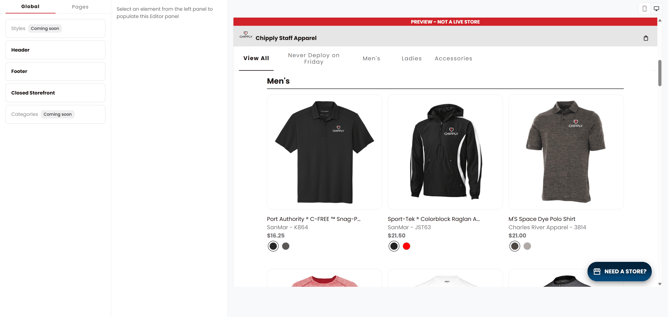
To learn more about the updated Branding page and how each section works, view our help article below.
A New Branding Experience: What's Next?
This updated Branding page is just the beginning. Today’s update sets the foundation for deeper customization and more control over how your stores look and feel.
Upcoming enhancements will expand on this framework, introducing new ways to style your storefront, highlight products, and create more personalized shopping experiences, all while maintaining accessibility and ease of use.
This update ensures your stores are ready for what’s next, with a flexible foundation built to grow alongside your branding needs.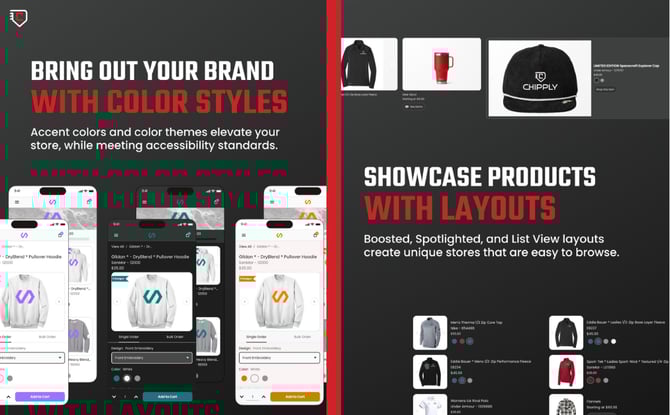
Learn ABout What's Coming Next
b
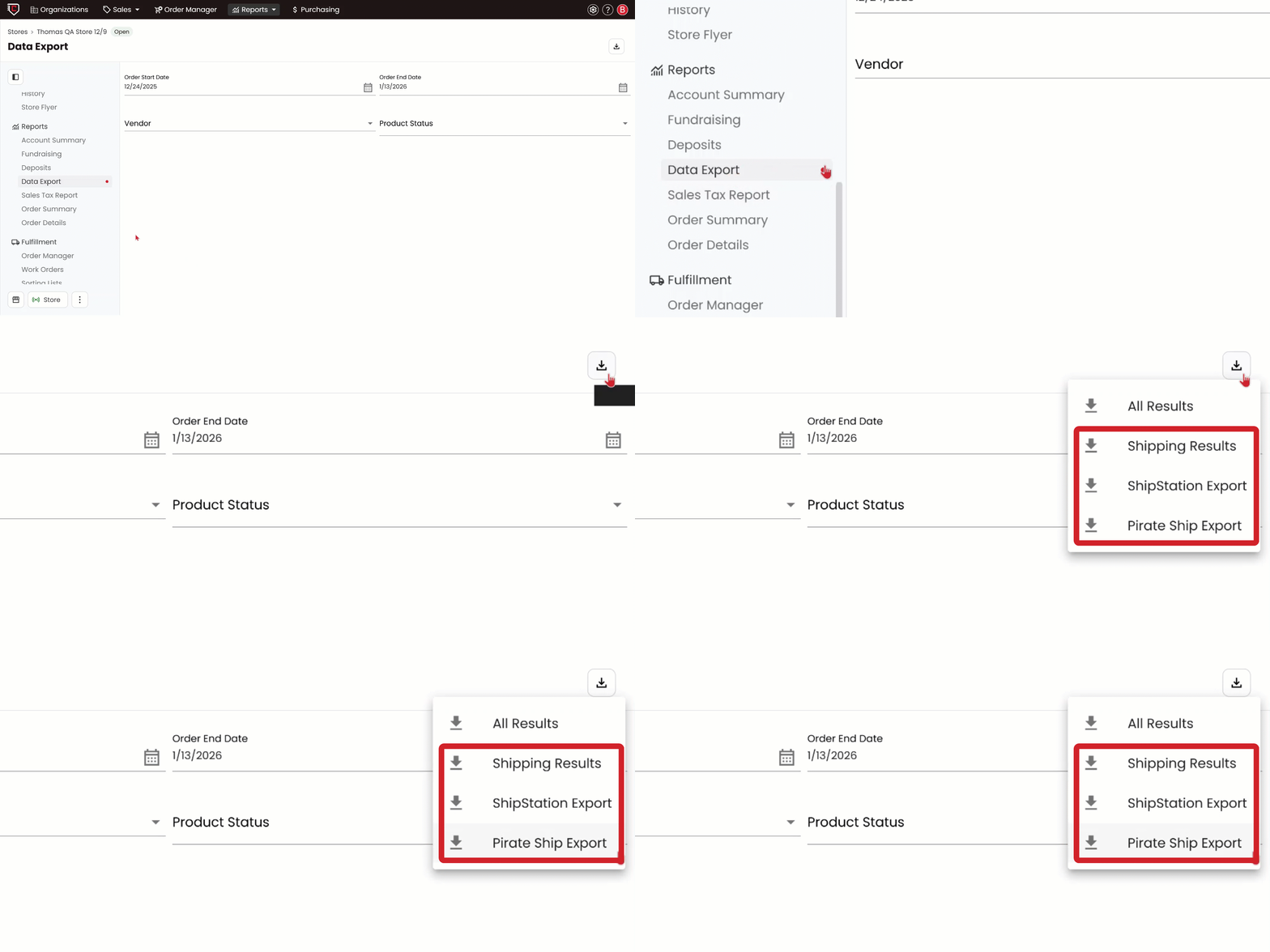
We’ve added Pirate Ship and ShipStation specific shipping exports that include the exact fields required for direct import into each service. This makes it easier to upload your shipping data and streamline your fulfillment process.
To download a Pirate Ship or ShipStation export, open your store and navigate to Data Export on the left-hand menu, then click Export. From there, select the shipping export you’d like to download.
ShipStation Update: Smarter Handling for Backorders
We’ve improved how our ShipStation integration handles backordered items. You can now send the same order to ShipStation more than once, making it easy to manage partial shipments.
Mark items as backordered to send only products that are ready to ship. When the remaining items are fulfilled, simply resend the order, and ShipStation will receive only the new items. This update gives you more control over fulfillment while keeping orders clean and accurate.
Mark Products as Inactive/Active in Bulk
You can now quickly mark products as active or inactive in bulk directly from the Products page, making it easier to manage and update your store.
To use this feature, go to the Products page within your store and select the products you want to update. Click Bulk Actions, then choose Change Active/Inactive. Check the Active box to make products active, or leave it unchecked to mark them as inactive.