![Fabicaon.png]](https://44059364.hs-sites.com/hs-fs/hubfs/Fabicaon.png?width=40&height=40&name=Fabicaon.png)
If you are offering a Customer Fee on your store (or better known as a Handling Fee) and you would like to remove it after orders have already been placed. It is rather easy to do. This can be helpful if you have accidentally made a mistake or just want to update the fee on your store.
How to Disable a Customer Fee on Your Store:
-
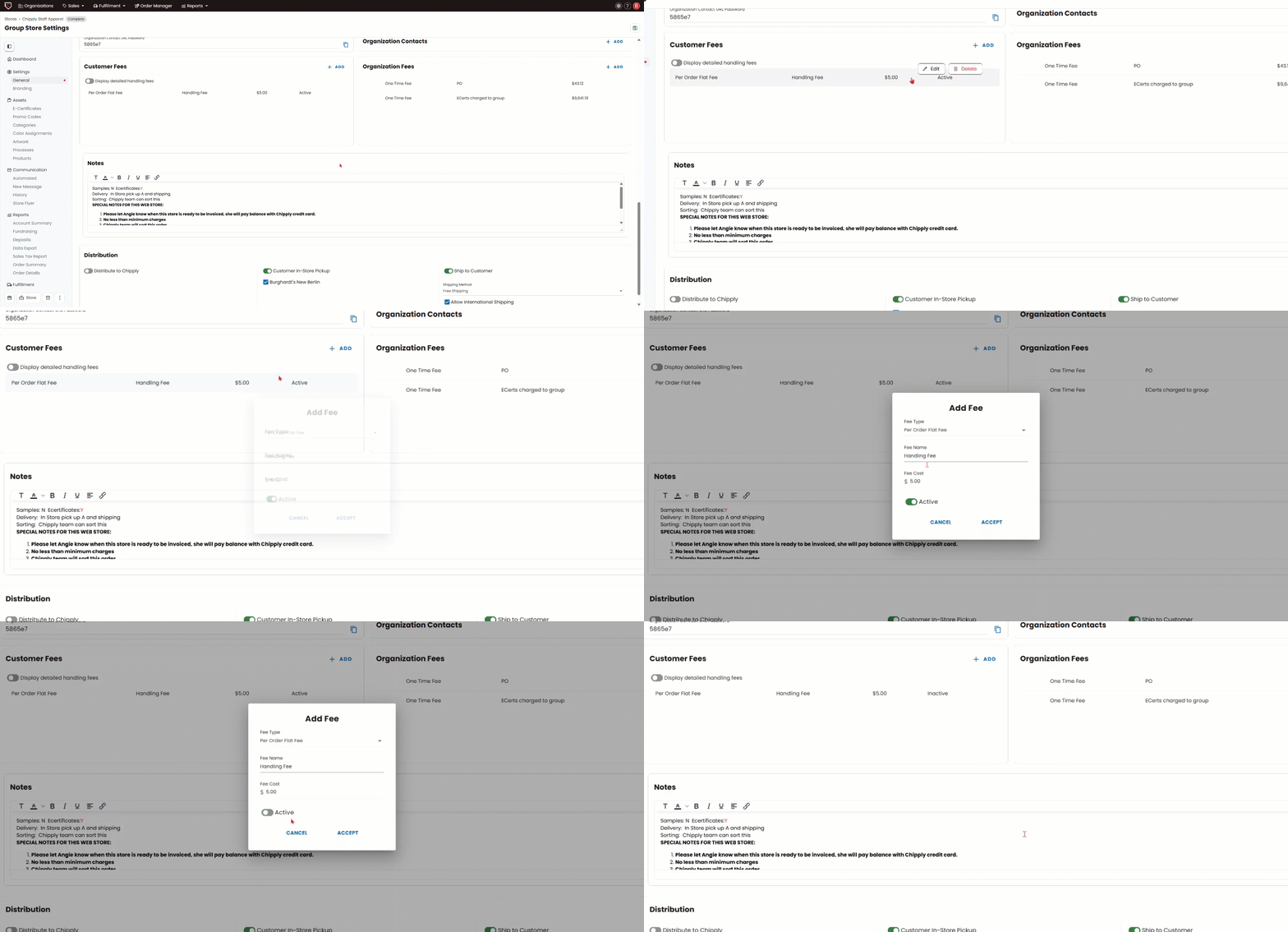
Within your store, click General on the left-hand menu.
-
Under Customer Fees, hover over your fee and click Edit. Then, click off Active and click ACCEPT.