![Fabicaon.png]](https://44059364.hs-sites.com/hs-fs/hubfs/Fabicaon.png?width=40&height=40&name=Fabicaon.png)
If your store offers shipping, Chipply makes it easy to export all orders that selected shipping so you can quickly access their shipping details in one place.
How to Export Shipping Results
-
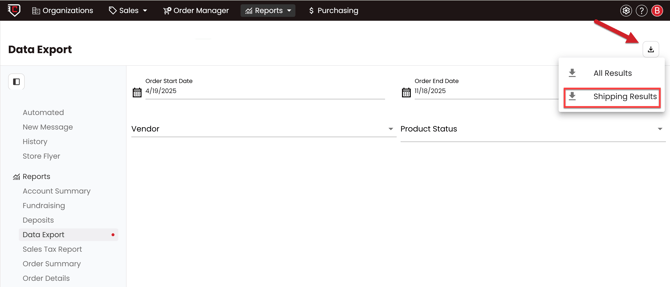
From within your store, go to Reports and select Data Export.
-
In the top right corner, click Export and choose Shipping Results.
Chipply will generate an Excel spreadsheet containing all orders that included shipping, along with their shipping addresses.