![Fabicaon.png]](https://44059364.hs-sites.com/hs-fs/hubfs/Fabicaon.png?width=40&height=40&name=Fabicaon.png)
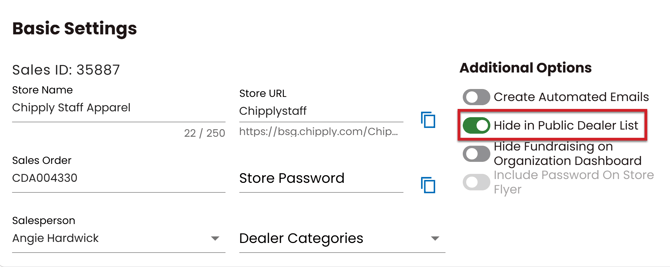
When you create an account with Chipply, you also receive your own Dealer list landing page. This is the hub where all your live stores are displayed in one convenient place. If you ever do not want a store to show on your landing page, you can easily hide a store from the list.
How to Hide a Store in Your Public Dealer List
1) Within your store, click General on the left-hand menu.
2) Under Additional Options, click on Hide in Public Dealer List.