![Fabicaon.png]](https://44059364.hs-sites.com/hs-fs/hubfs/Fabicaon.png?width=40&height=40&name=Fabicaon.png)
Add a Process Tag
You can add a Process Tag to communicate important information to your customers. You can add these callout messages to the processes inside your Chipply stores. Process Tags are a flexible way to communicate things like decoration details, special instructions, or other notes related to the products in that process. This information is applied in bulk, making it easy to keep messaging consistent.
How to Add a Process Tag
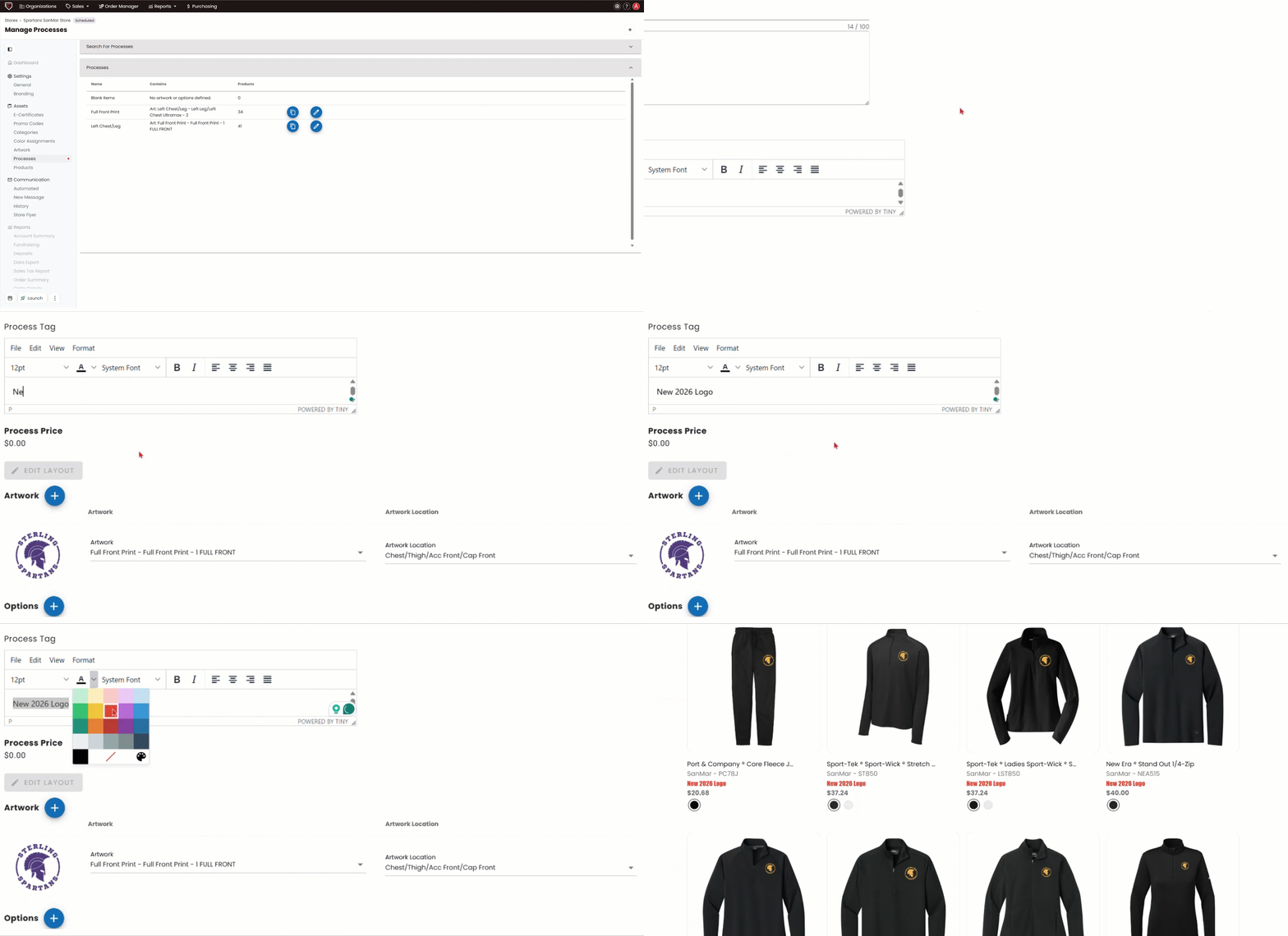
1) Within your store, click Processes on the left-hand menu.
2) Click the Edit Process pencil icon for the process you want to update.
3) In the Process Tag field, add any message you want to help communicate details about the process. You can adjust the font size or color to make important information stand out.
4) Save the page, then preview your store to see the Process Tag displayed beneath each product name.