![Fabicaon.png]](https://44059364.hs-sites.com/hs-fs/hubfs/Fabicaon.png?width=40&height=40&name=Fabicaon.png)
You can add a text pop-up that appears when customers first land on your store. This is a great way to highlight important information right away.
How to Add a Display Text Pop-Up Within Your Store:
-
Within your store, click Branding in the left hand menu.
-
Click Pages, then select Text Information.
-
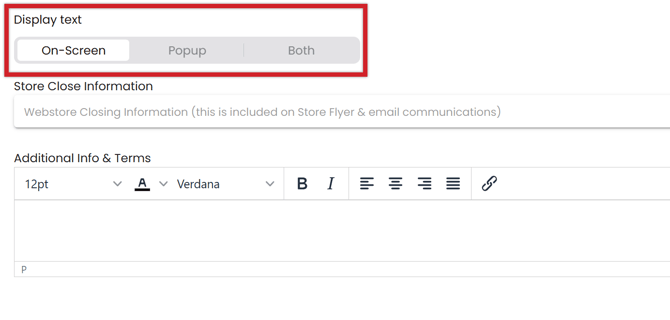
Under Display As, choose how the message appears: On-Screen, Pop-Up, or Both.
-
Choose how often the message should display: Show always, Show once per day, or Show on first visit only.
-
After selecting your display settings, enter your text in either the Web Store Closing Information field or the Additional Information & Terms field.
You can also set this as a deafult setting across all of your stores! Just click the settings gear in the top right hand side of your screen, then click Store Settings. Under Branding, you will see the Display Text section. Whatever you decided to set here, is what will default across any new store that you create.