![Fabicaon.png]](https://44059364.hs-sites.com/hs-fs/hubfs/Fabicaon.png?width=40&height=40&name=Fabicaon.png)
You can easily give each person on your team their own Chipply login. You can add as many users as you need, and giving everyone a separate account means every change they make is tracked under their own name.
Before you start: You must be logged in as a Dealer Admin to add or edit users. Dealer Salesperson accounts can't reach this page.
Step 1: Open Your Users List
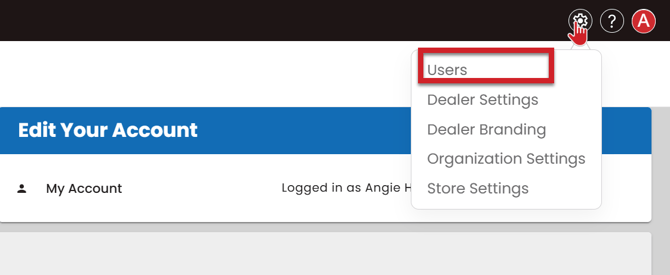
- From the Account Dashboard, click the gear (settings) icon.
- Select Users.
You'll see a list of everyone on your account, with their First Name, Last Name, User Level, User Name, Email, Created On date, and whether they're Enabled.
Step 2: Add the User
- Click + button on the top right hand side of your screen to add a user.
- Enter the person's First Name and Last Name.
- Enter their Email.
- Enter a User Name. This is what they'll type to log in. Most dealers use the person's email address as their user name (more on this below).
- Choose a User Level (see the table below).
- Make sure Active is checked so the user can log in right away.
- Optional: Enter an External User ID (see below).
- Save.
The user level controls which pages and settings the person can see.
| User Level | Best For | What They Can Access |
|---|---|---|
| Dealer Admin | Owners, managers, and anyone who handles account setup | Full access to your dealer account, including dealer settings, integrations, and user management |
| Dealer Salesperson | Sales reps and staff who run stores | Stores, orders, and day-to-day work, without access to administrative settings |
Changing a user's level takes effect right away. There's nothing else to re-grant.
Logging In: User Name vs. Email
The login page asks for a Username/Email, but Chipply only checks the User Name field. If someone's user name is their email address, they can log in with it. If their user name is something else (like "jsmith"), they need to type that, not their email.
Tip: Set each person's user name to their own email address. It's easy to remember and avoids login confusion. If several people share one company email, give each of them a unique user name instead.