![Fabicaon.png]](https://44059364.hs-sites.com/hs-fs/hubfs/Fabicaon.png?width=40&height=40&name=Fabicaon.png)
Want to change the order in which your products appear on your store? Chipply makes it easy to move any product to a new position in just a few clicks, without any dragging or manual sorting.
1) Within the Products page of your store, select the product you would like to move.
2) Click Bulk Actions, then select Move Products from the dropdown.
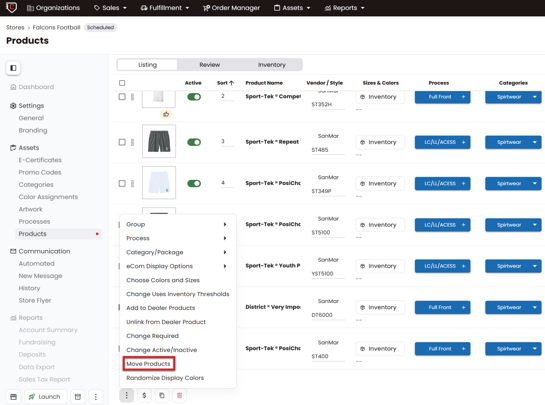
3) Chipply will ask you to insert the product after a sort number. Enter the position you want the product to appear after. For example, entering 5 will place it after the 5th product.
4) Click MOVE and Chipply will instantly reposition the product to the spot you selected.
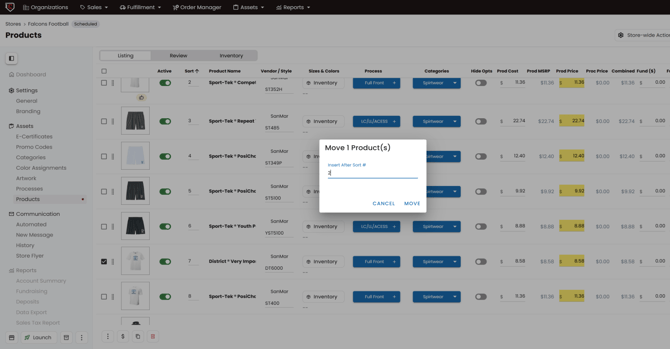
Quick tip: The sort number corresponds to the product's current position on the page, so entering 1 will move your product to the very top of the list.