![Fabicaon.png]](https://44059364.hs-sites.com/hs-fs/hubfs/Fabicaon.png?width=40&height=40&name=Fabicaon.png)
Sales Orders and Packing Slips now include a barcode matching the one already printed on product labels in Chipply Production. Scanning it copies the order number, making it easy to look up orders in Chipply Production, ShipStation, or any other tool without typing it out.
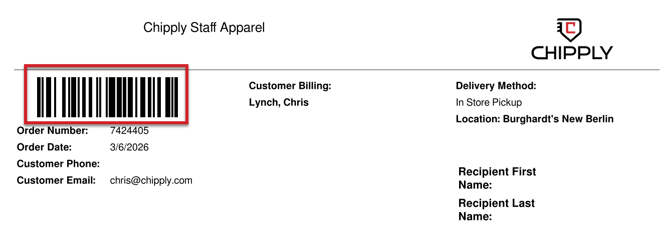
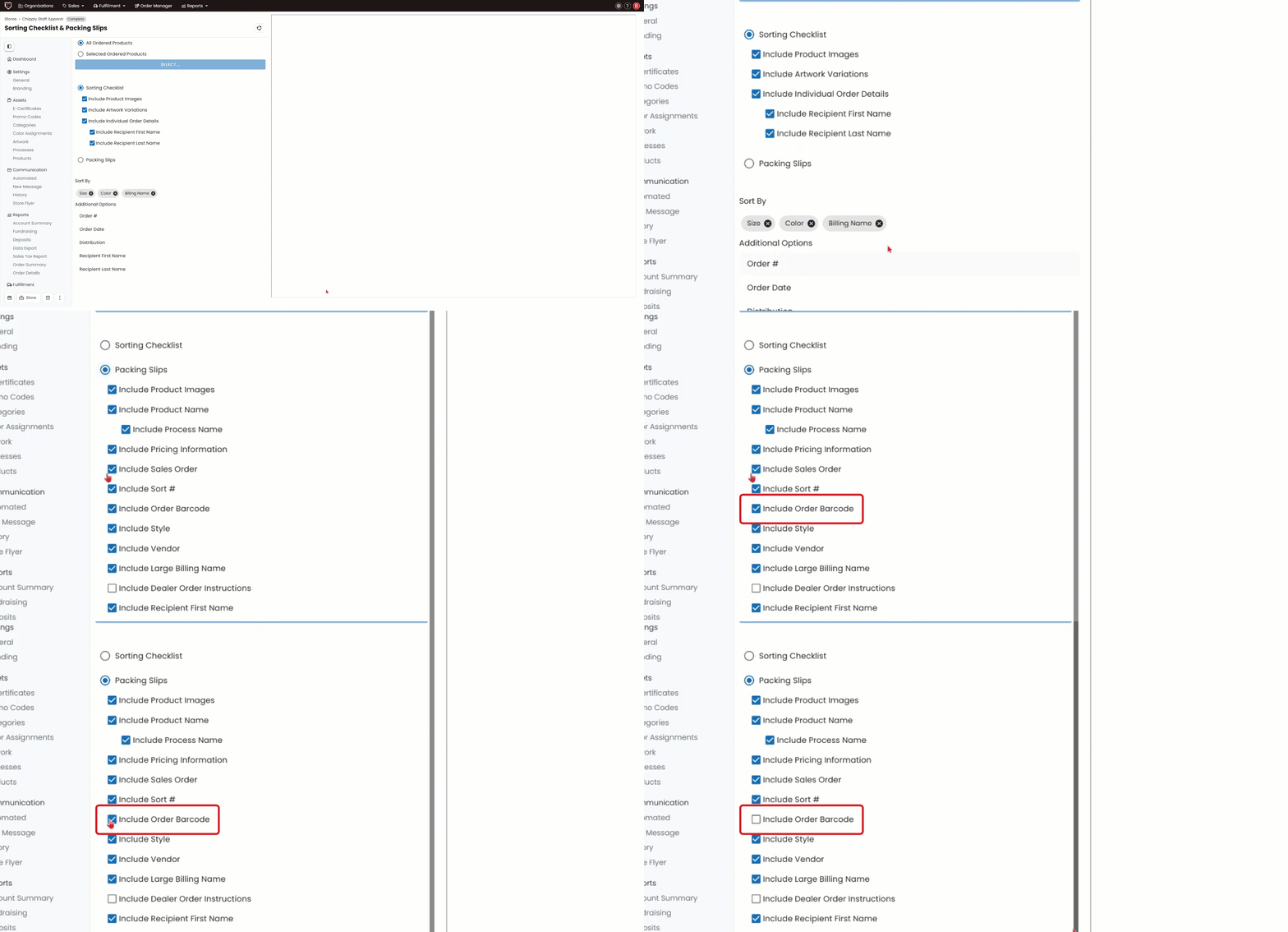
The barcode is on by default for Packing Slips and can be toggled off in your packing slip settings. However, the barcode cannot be toggled off on the Sales Orders.
How to Toggle Off Barcodes for Packing Slips:
-
Within your store, navigate to Sorting/Packing on the left-hand menu.
-
Click Packing slips and uncheck Include Order Barcode.
-
You can then generate your packing slips without the barcodes.