![Fabicaon.png]](https://44059364.hs-sites.com/hs-fs/hubfs/Fabicaon.png?width=40&height=40&name=Fabicaon.png)
Points-Based Pricing lets you list products in points instead of dollars, making it easy to run rewards programs and giveaways for any customer — schools, teams, or corporate.
How Points-Based Pricing Works
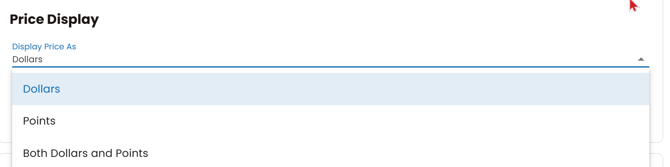
Easily utilize Point Based Pricing within a Group or Catalog store by simply navigating to the Settings page within your store. Under Basic Settings, you will now have a new option to Display Price As Dollars, Points, or Both Dollars and Points.
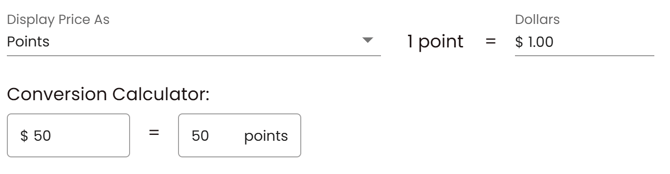
When you choose Points or Dollars and Points, you’ll also have the ability to define your custom dollar-to-point conversion rate. To make things even easier, we’ve added a built-in Conversion Calculator so you can quickly preview how your pricing will translate from dollars to points.
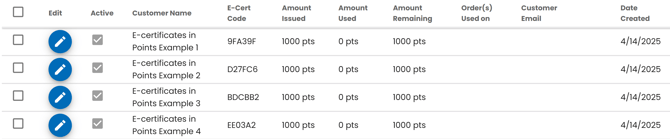
You can now create e-Certificates in either dollars or points, based on how your store is configured. Whether you're adding them individually, in bulk, using a table, or through an upload, Chipply will automatically prompt you to enter a dollar amount or point value—keeping the process simple and aligned with your store settings.
Please Note: If your store is set up as a points-only store, customers will not be able to check out using a credit card or purchase order. The only accepted payment method is an e-certificate with a sufficient points balance remaining.